
API Testing & Network Interception
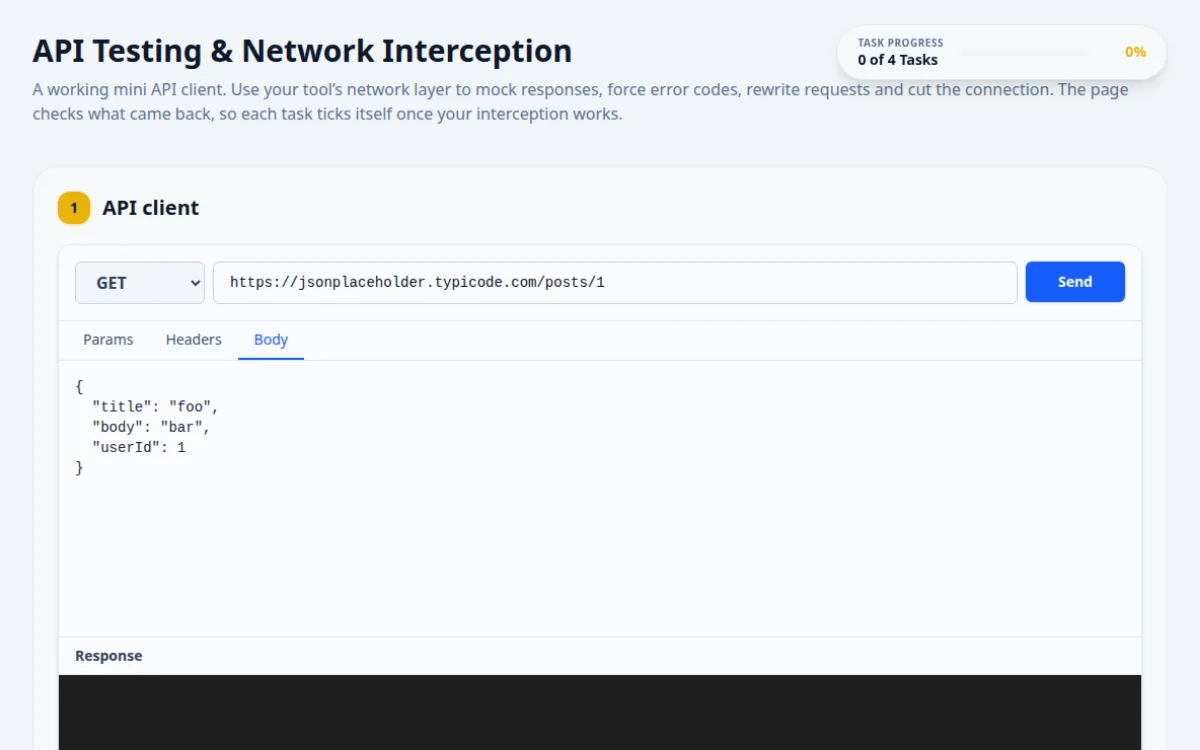
A working mini API client. Use your tool’s network layer to mock responses, force error codes, rewrite requests and cut the connection. The page checks what came back, so each task ticks itself once your interception works.
1.API client
2.Tasks
Use the API client above.
Send a GET request and make it come back as 200 with the body {"message": "Intercepted!"}, without the request reaching the real server.
- The status reads 200
- The response body shows your JSON
- Registering the mock after clicking Send
- A URL pattern that does not match, so the real post comes back
Register the route or intercept before you click Send. Match the URL with a glob such as **/posts/**.
await page.route('**/posts/**', (route) => route.fulfill({ status: 200, json: { message: 'Intercepted!' } }));
await page.locator('#api-send-btn').click();
await expect(page.locator('#api-response-body')).toContainText('Intercepted!');Seen so far: none
Make one request come back as 404 and another as 500.
- The status badge turns amber for 404 and red for 500
- Both codes have been seen
- Pointing the URL at a missing page on the real server: that tests their server, not your mock
- Leaving the first route active so the second request still gets 404
Fulfil with a status code only. Remove or replace the first route before the second request.
await page.route('**/posts/**', (r) => r.fulfill({ status: 404, body: 'Not found' }));
await page.locator('#api-send-btn').click();
await expect(page.locator('#api-status')).toContainText('404');
await page.unroute('**/posts/**');
await page.route('**/posts/**', (r) => r.fulfill({ status: 500, body: 'Server error' }));
await page.locator('#api-send-btn').click();
await expect(page.locator('#api-status')).toContainText('500');Use the API client above.
Set the method to POST with the body {"role": "user"}. Change role to admin on the way out, so the server echoes back admin.
- The textarea still says user
- The response echoes "role": "admin"
- Editing the textarea instead: the page checks it still says user
- Mocking the response: rewrite the request and let it through
Intercept, read the outgoing body, change it, then continue the request with the new body. jsonplaceholder echoes what it receives.
await page.route('**/posts', async (route) => {
  const body = { ...route.request().postDataJSON(), role: 'admin' };
  await route.continue({ postData: JSON.stringify(body) });
});
await page.locator('#api-method-select').selectOption('POST');
await page.locator('#api-url-input').fill('https://jsonplaceholder.typicode.com/posts');
await page.locator('#api-body-textarea').fill('{"role": "user"}');
await page.locator('#api-send-btn').click();
await expect(page.locator('#api-response-body')).toContainText('"role": "admin"');Use the API client above.
Make the request fail at the network level, as if the user went offline.
- The client shows “Network Error” instead of a status code
- Returning a 500: that is a server answer, not a dropped connection
Abort the request in your interceptor instead of fulfilling it.
await page.route('**/posts/**', (route) => route.abort('internetdisconnected'));
await page.locator('#api-send-btn').click();
await expect(page.locator('#api-status-error')).toHaveText('Network Error');
About this API Interception page
API interception is a testing technique where your test captures a request the page sends and either answers it with fake data, changes it, or blocks it. In Playwright you use page.route, in Cypress cy.intercept, and in Selenium 4 the DevTools or BiDi network APIs. This page makes real fetch calls so you can practice each approach for free in the browser.
Frequently asked questions
How do you mock an API response in Playwright?
Call page.route with a URL pattern before the action that triggers the request, then use route.fulfill with a status, headers and JSON body. Use route.continue to let a request through, optionally with changes, and route.abort to simulate a network failure.
How do you intercept network requests in Cypress?
Use cy.intercept with a method and URL to stub a response or spy on traffic. Give it an alias with .as, then cy.wait the alias to assert on the request body or response status. Define the intercept before the click that fires the request.
Can Selenium intercept and mock network requests?
Yes, in Selenium 4. Selenium Java offers NetworkInterceptor and Python uses the Chrome DevTools Protocol through execute_cdp_cmd, with BiDi network commands as the newer route. It is more verbose than Playwright or Cypress and works best in Chromium browsers.
Why mock APIs in UI tests?
Mocking makes tests fast and repeatable and lets you force states that are hard to reach for real, such as 500 errors, empty lists, slow responses and timeouts. Keep a few unmocked end-to-end tests so real integration still gets checked.
Do I need to sign up or install anything to practice here?
No. The page is free and runs in the browser. Point your own Playwright, Selenium or Cypress project at it, finish the tasks, and the result box shows which ones passed. Reference solutions in four frameworks are available when you get stuck.
Free developer tools on Randomly.online
QA Playground is part of Randomly.online. These tools help while you write and debug tests: