
Store Pagination
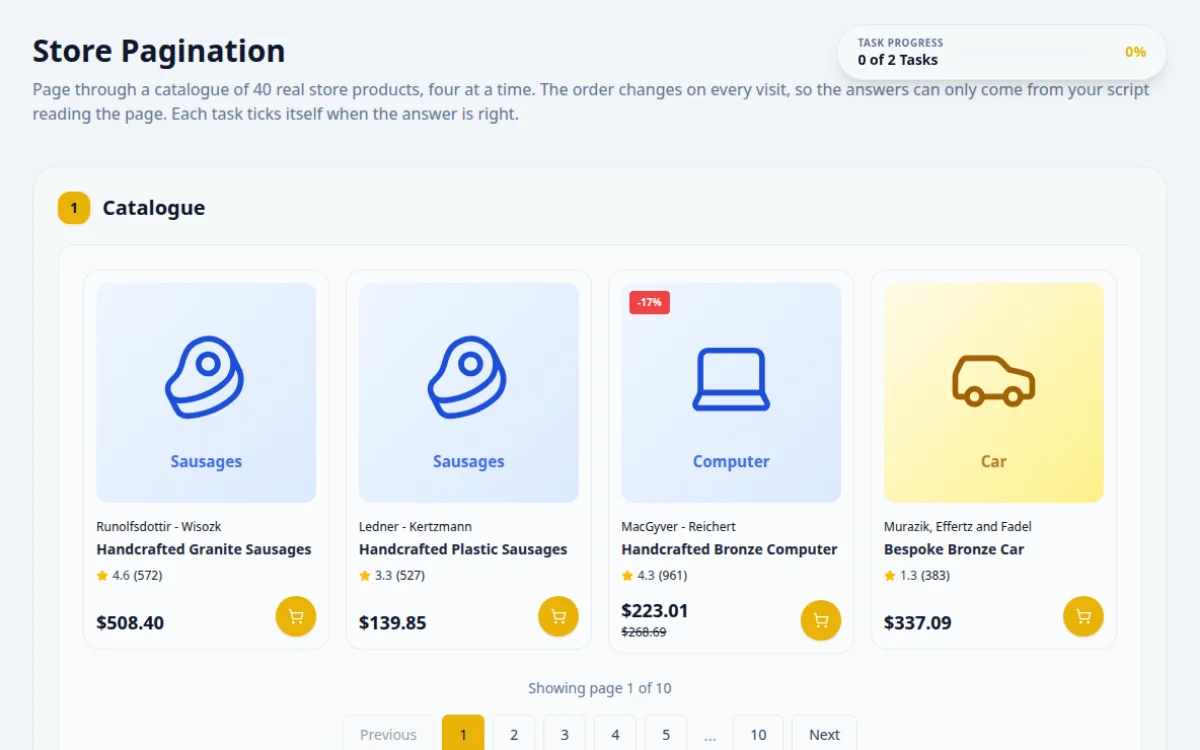
Page through a catalogue of 40 real store products, four at a time. The order changes on every visit, so the answers can only come from your script reading the page. Each task ticks itself when the answer is right.
1.Catalogue

2.Tasks
Use the catalogue above.
Go to the last page and type the name of the last product on it.
- Next is disabled on the last page
- The answer matches the last card’s name
- Assuming there are 10 pages: read the total from the info text
- Reading the name before the new page renders
Read the total from “Showing page X of Y”, jump there, wait until the info text says so, then read the last card.
const info = await page.locator('#pagination-info').textContent();
const total = info!.match(/of (\d+)/)![1];
await page.locator(`#pagination-${total}`).click();
await expect(page.locator('#pagination-info')).toHaveText(`Showing page ${total} of ${total}`);
const name = await page.getByTestId('product-card').last().locator('h3').textContent();
await page.getByTestId('answer-pagination-last').fill(name!.trim());Product to find: Small Plastic Fish
Find which page “Small Plastic Fish” is on and type the page number.
- The answer is the page number where that product appears
- Stopping on the first partial name match
- Looping forever when the product is not found: stop when Next is disabled
Start on page 1. On each page, check the card names; if it is not there, click Next and wait for the info text to change.
const wanted = await page.locator('#find-target').textContent();
while (!(await page.getByTestId('product-card').locator('h3', { hasText: wanted! }).count())) {
  const before = await page.locator('#pagination-info').textContent();
  await page.locator('#pagination-next').click();
  await expect(page.locator('#pagination-info')).not.toHaveText(before!);
}
const pageNo = (await page.locator('#pagination-info').textContent())!.match(/page (\d+)/)![1];
await page.getByTestId('answer-pagination-find').fill(pageNo);
About this Store Pagination page
Pagination splits a long list of items across numbered pages, and testing it means checking that next, previous and page links load the right items. To practice, loop until the next button is disabled, collect items from each page, and assert there are no duplicates or gaps. This free page gives you a paginated product store with tasks.
Frequently asked questions
How do I automate pagination in Selenium?
Loop: read the items on the current page, then click the Next button if it is enabled, and stop when it is disabled or missing. In Selenium 4 use WebDriverWait to confirm the page changed before reading again, to avoid stale element errors.
How do I loop through all pages in Playwright?
Use a while loop that collects page.locator('.product') texts, then checks await next.isEnabled() and clicks it. After each click, wait for the first item text or the page indicator to change so you do not read the old page.
What are the main pagination test cases?
Check the first page has Previous disabled, the last page has Next disabled, page numbers jump correctly, items per page is consistent, no item repeats across pages, and the total count matches. Also test an invalid page number in the URL.
How do I know I reached the last page?
Check that the Next control is disabled, hidden or absent, or that the current page equals the total pages shown. Do not rely on a fixed page count, because data can change between runs.
Where can I practice pagination testing for free?
This page is free, needs no signup and runs in the browser. It lists store products over several pages, with positive and negative tasks, a pass or fail result box and hints.
Free developer tools on Randomly.online
QA Playground is part of Randomly.online. These tools help while you write and debug tests: