
Sortable Lists
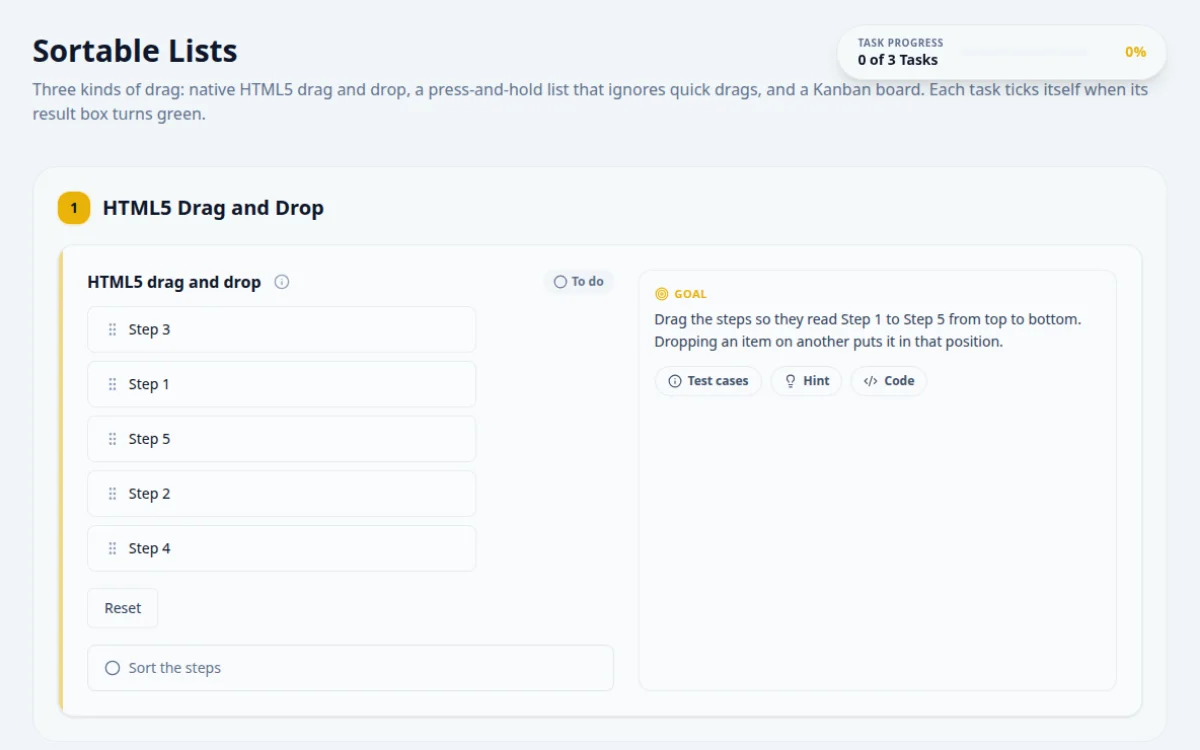
Three kinds of drag: native HTML5 drag and drop, a press-and-hold list that ignores quick drags, and a Kanban board. Each task ticks itself when its result box turns green.
1.HTML5 Drag and Drop
- Step 3
- Step 1
- Step 5
- Step 2
- Step 4
Drag the steps so they read Step 1 to Step 5 from top to bottom. Dropping an item on another puts it in that position.
- When the list reads Step 1 to Step 5 the result turns green.
- Selenium's dragAndDrop leaves the list unchanged.
Drop each step onto the item that is currently in its target position, starting with Step 1. Re-read the list after every drop.
const items = page.getByTestId('html5-item');
const goal = ['Step 1', 'Step 2', 'Step 3', 'Step 4', 'Step 5'];
for (let i = 0; i < goal.length; i++) {
  if ((await items.nth(i).innerText()).trim() === goal[i]) continue;
  await items.filter({ hasText: goal[i] }).dragTo(items.nth(i));
}2.Press-and-Hold Sortable
- C
- A
- E
- B
- D
Press an item and hold it still for a moment before moving. Release it over the place it should go.
- Holding, moving and releasing reorders the list.
- When it reads A to E the result turns green.
- Moving straight away (a quick drag) does nothing.
- Jumping to the target in a single move does nothing either.
Press, wait about 300 ms without moving, then move to the target in several small steps before releasing.
// Press, hold still past 250 ms, then move in small steps
async function holdDrag(source, target) {
  await source.scrollIntoViewIfNeeded();
  const s = (await source.boundingBox())!, t = (await target.boundingBox())!;
  await page.mouse.move(s.x + s.width / 2, s.y + s.height / 2);
  await page.mouse.down();
  await page.waitForTimeout(300);
  await page.mouse.move(t.x + t.width / 2, t.y + t.height / 2, { steps: 10 });
  await page.mouse.up();
}
const items = page.getByTestId('hold-item');
for (const [i, want] of ['A', 'B', 'C', 'D', 'E'].entries()) {
  if ((await items.nth(i).innerText()).trim() === want) continue;
  await holdDrag(items.filter({ hasText: new RegExp(`^${want}$`) }), items.nth(i));
}3.Kanban Board
To Do
In Progress
Done
Move 'Write tests' to Done and 'Fix bug #42' to In Progress. Leave the other cards where they are.
- With both cards moved and nothing else changed, the result turns green.
- Moving any other card keeps the result pending.
Drop each card on the column itself, then check the column's text.
await page.getByTestId('card').filter({ hasText: 'Write tests' }).dragTo(page.locator('#col-done'));
await page.getByTestId('card').filter({ hasText: 'Fix bug #42' }).dragTo(page.locator('#col-progress'));
await expect(page.locator('#col-done')).toContainText('Write tests');
4. Solutions
Try the challenges yourself first. Reference solutions are hidden until you ask for them.
About this Sortable Lists page
A sortable list is a UI where items are reordered by dragging, and it is hard to automate because implementations differ. Native HTML5 lists fire dragstart and drop events, while many libraries use mouse or pointer events and long presses. This page has an HTML5 list, a press-and-hold list and a Kanban board so you can match the technique to each.
Frequently asked questions
Why does Selenium drag and drop not work on HTML5 lists?
Native HTML5 drag relies on dragstart, dragover and drop events with a DataTransfer object, which synthetic mouse actions often do not trigger in some drivers. Try Actions clickAndHold with several small moveByOffset steps, or dispatch the drag events with JavaScript.
How do you test drag and drop in Playwright?
Use source.dragTo(target) for most cases. If the page needs intermediate events, use page.mouse.move, page.mouse.down, a second page.mouse.move with steps set above 1, and page.mouse.up. Then assert the new order by reading the list item texts.
How do you test a press-and-hold sortable list?
Move the mouse to the item, press down, wait longer than the hold delay, then move in steps to the target and release. In Playwright that is mouse.down, waitForTimeout, mouse.move with steps, mouse.up. Replace fixed waits with an assertion once the item is lifted.
How do you assert the order after reordering items?
Collect the text of all list items and compare the array with the expected order. Playwright: expect(items).toHaveText([...]). Selenium: map findElements to getText and use assertEquals. Do not assert on pixel positions, which vary by viewport.
How do you automate a Kanban board drag?
Locate the card and the target column, drag the card into the column area, and assert the card is now a child of that column's container. Cards often move only when dropped over a specific zone, so aim at the column body, not its header.
Free developer tools on Randomly.online
QA Playground is part of Randomly.online. These tools help while you write and debug tests: