
Progress Bar Challenge
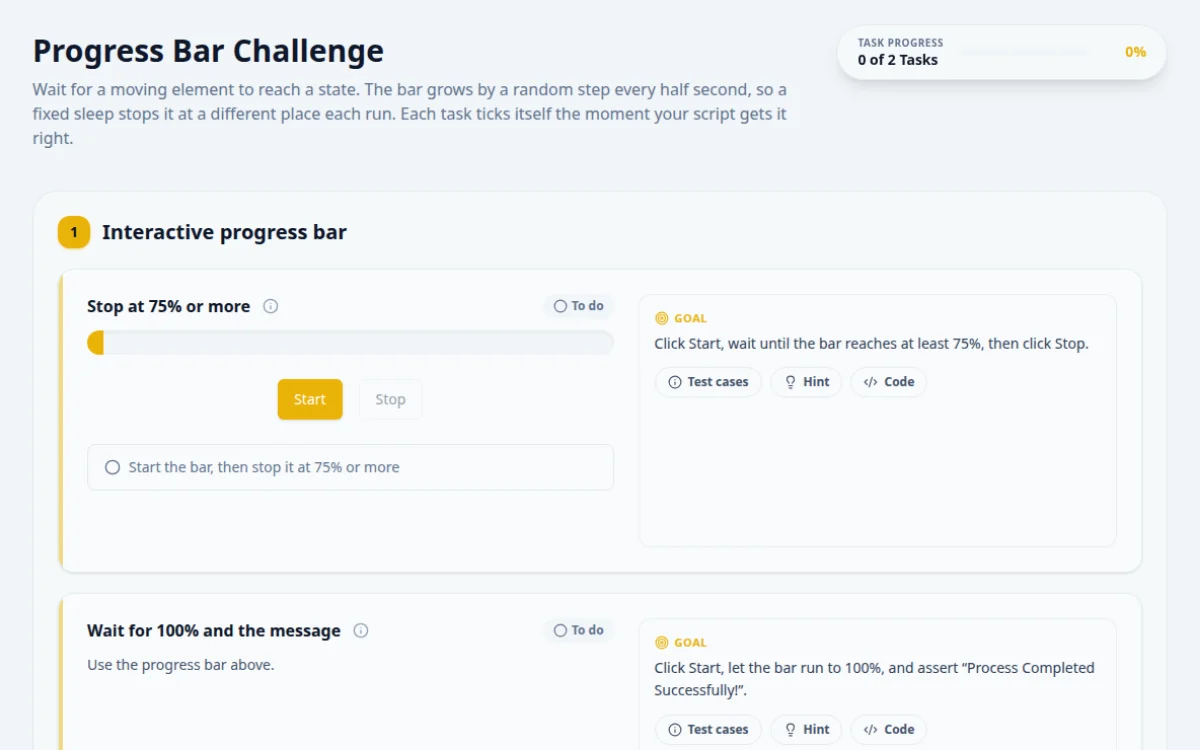
Wait for a moving element to reach a state. The bar grows by a random step every half second, so a fixed sleep stops it at a different place each run. Each task ticks itself the moment your script gets it right.
1.Interactive progress bar
Click Start, wait until the bar reaches at least 75%, then click Stop.
- The result box turns green: “Stopped at N% — target reached”
- The wait reads the bar’s aria-valuenow, not its width
- A fixed sleep: the bar’s speed is random
- Stopping below 75% turns the result red
Poll the aria-valuenow attribute with a short interval and click Stop as soon as it is 75 or more.
await page.locator('#start-button').click();
await expect.poll(async () =>
  Number(await page.locator('#progress-bar-fill').getAttribute('aria-valuenow')),
  { timeout: 15000, intervals: [100] }).toBeGreaterThanOrEqual(75);
await page.locator('#stop-button').click();Use the progress bar above.
Click Start, let the bar run to 100%, and assert “Process Completed Successfully!”.
- The script waits for the message, not a set time
- The message text matches exactly
- Asserting the message straight after Start
- A timeout shorter than the run: it can take up to 10 seconds
Wait for the success message to be visible with a generous timeout. Use the bar above.
await page.locator('#start-button').click();
await expect(page.locator('#success-message')).toHaveText('Process Completed Successfully!', { timeout: 15000 });
2. Solutions
Try the challenges yourself first. Reference solutions are hidden until you ask for them.
About this Progress Bar page
Testing a progress bar means checking that it advances and reaches a state, usually 100 percent, before the next step runs. Read the value from aria-valuenow, a style width or text, then wait for it with a condition. In Selenium use WebDriverWait. Playwright and Cypress retry assertions such as toHaveAttribute until the bar completes.
Frequently asked questions
How do I wait for a progress bar to reach 100% in Selenium?
Use WebDriverWait with a condition on the bar, for example text_to_be_present_in_element or a lambda that reads aria-valuenow and returns true at 100. Set a timeout longer than the bar's expected duration so a stuck bar fails the test instead of hanging.
How do I read the progress bar value in Playwright?
Use expect(bar).toHaveAttribute('aria-valuenow', '100') for a web-first assertion that retries. To read it once, call await bar.getAttribute('aria-valuenow'). Avoid reading it in a loop with sleeps, because the assertion already retries.
How can I stop a progress bar at a specific percentage?
Poll the value and click Stop when it reaches the target. Exact stops are timing sensitive, so tests usually accept a range, such as 70 to 80. In Playwright use expect.poll on the value, then click and assert the range.
Why does my progress bar test fail intermittently?
Common causes are asserting before the bar finishes, using a fixed sleep shorter than the run time, or reading a stale element after a re-render. Wait on the bar's state with a timeout and re-locate the element when the DOM changes.
Is aria-valuenow reliable for progress bars?
It is when the bar uses role=progressbar and updates the attribute, which is the accessible pattern. Some bars only change a style width. Inspect the element first and assert on whichever attribute the page actually updates.
Free developer tools on Randomly.online
QA Playground is part of Randomly.online. These tools help while you write and debug tests: