
Real-World Widgets
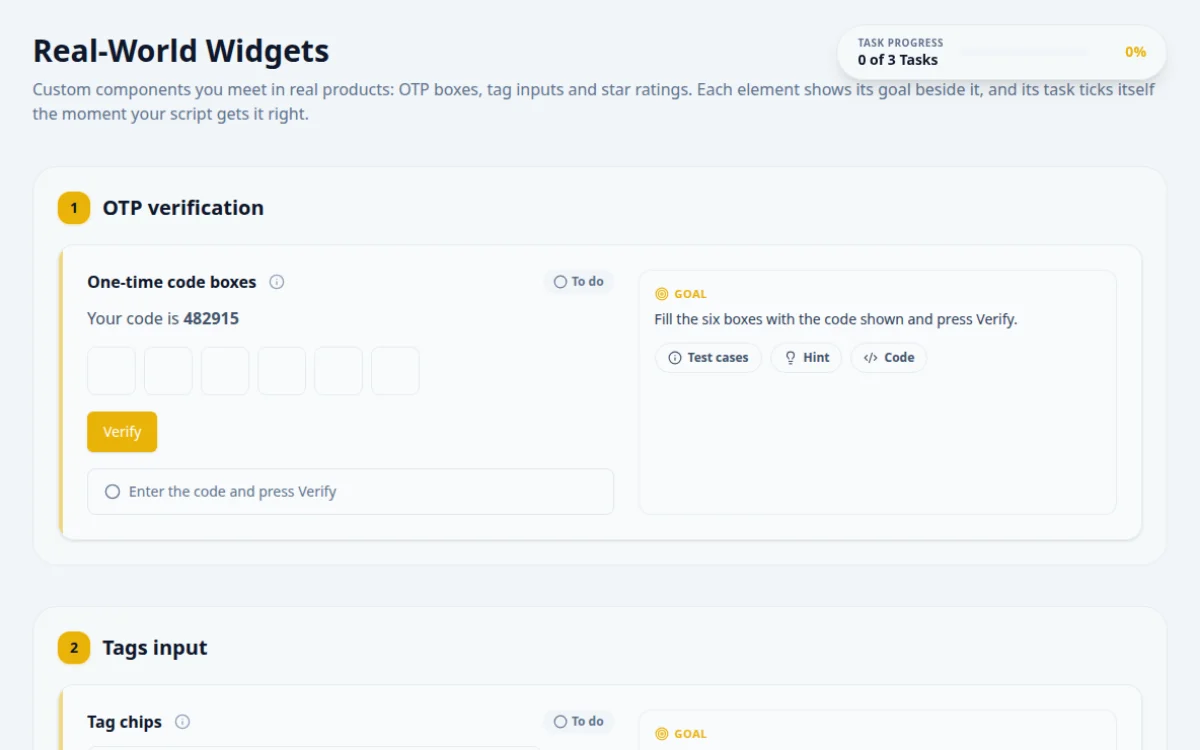
Custom components you meet in real products: OTP boxes, tag inputs and star ratings. Each element shows its goal beside it, and its task ticks itself the moment your script gets it right.
1.OTP verification
Your code is 482915
Fill the six boxes with the code shown and press Verify.
- Typing 482915 auto-advances through the boxes
- Verify shows “Code verified”
- Pasting “48-29 15” into the first box fills all six
- Letters are refused
- A wrong code shows “Wrong code”
Each box holds one digit and moves focus to the next. Type into the first box with real key presses, or fill each box in turn.
await page.locator('#otp-0').click();
await page.keyboard.type('482915');
await page.locator('#verify-otp').click();
await expect(page.getByTestId('result-otp')).toHaveAttribute('data-state', 'success');2.Tags input
0 tags
Add the tags selenium, playwright and cypress, then remove playwright with its × button.
- Each tag appears as a chip and the count updates
- Only selenium and cypress are left
- Empty values and duplicates (ignoring case) are not added
- Holding an old chip reference after the list re-renders
Press Enter to add a tag. Each chip has a remove button whose accessible name is “Remove <tag>”.
const input = page.locator('#tag-input');
for (const t of ['selenium', 'playwright', 'cypress']) { await input.fill(t); await input.press('Enter'); }
await page.getByRole('button', { name: 'Remove playwright' }).click();
await expect(page.locator('#tag-count')).toHaveText('2 tags');3.Star rating
0/5
Give a rating of 4 stars.
- The rating reads 4/5 and four stars are filled
- The 4-star radio reports aria-checked="true"
- Clicking stars by index in a list that re-renders
- Asserting on star colours instead of the value
The stars form a radio group. Each star is a radio named “N stars”, so you can find it by role and name.
await page.getByRole('radio', { name: '4 stars' }).click();
await expect(page.locator('#rating-value')).toHaveText('4/5');
4. Solutions
Try the challenges yourself first. Reference solutions are hidden until you ask for them.
About this Real-World Widgets page
OTP input automation is the practice of scripting split one-digit code boxes, along with similar custom widgets like tag inputs and star ratings, in a browser test. These widgets move focus, listen to key and paste events, or use non-input elements, so you type digits one at a time or use keyboard APIs. This free page lets you practice all three with pass/fail checks.
Frequently asked questions
How do you automate a six-digit OTP input with separate boxes in Playwright?
Click the first box and call page.keyboard.type('123456'), since focus usually jumps to the next box on each key. If the widget supports paste, dispatch a paste event instead. Alternatively use locator.pressSequentially() on the first box. Then assert each box holds one digit.
Why does sendKeys or fill not work on OTP boxes in Selenium?
Many OTP widgets listen to keydown or input events and move focus themselves. Sending the whole code to one box can drop digits. In Selenium 4, send one character per box, or send keys to the active element so the widget's own focus logic runs between keystrokes.
How do you test a tag input field with automation?
Type a value, press Enter or a comma, then assert a new tag element appears. Test the negative cases as well: duplicate tags, empty input, and removal by the remove button or Backspace. Locate tags by role or text, not by index.
How do you click a star rating in Cypress or Playwright?
Locate the star by its accessible name, label or data attribute, then click it and assert the selected count or aria-checked state. Star widgets often use spans or SVGs rather than inputs, so check the rendered state, not an input value.
Is this widgets practice page free and does it need a signup?
Yes, it is free, needs no signup, and runs in your browser. Each task has positive and negative test cases, a pass/fail result box and per-task hints, with reference solutions in Playwright, Selenium Java, Selenium Python and Cypress.
Free developer tools on Randomly.online
QA Playground is part of Randomly.online. These tools help while you write and debug tests: