
Tables & Lists
Read cells, sort columns, filter rows, count list items and page through results. The data changes on every visit, so read tasks can only be solved by reading the page. Each task ticks itself the moment your script gets it right.
1.Tables
| ID | Product Name | Price | Status |
|---|---|---|---|
| 1 | Laptop | $80 | Out of Stock |
| 2 | Smartphone | $1167 | Low Stock |
| 3 | Headphones | $753 | Low Stock |
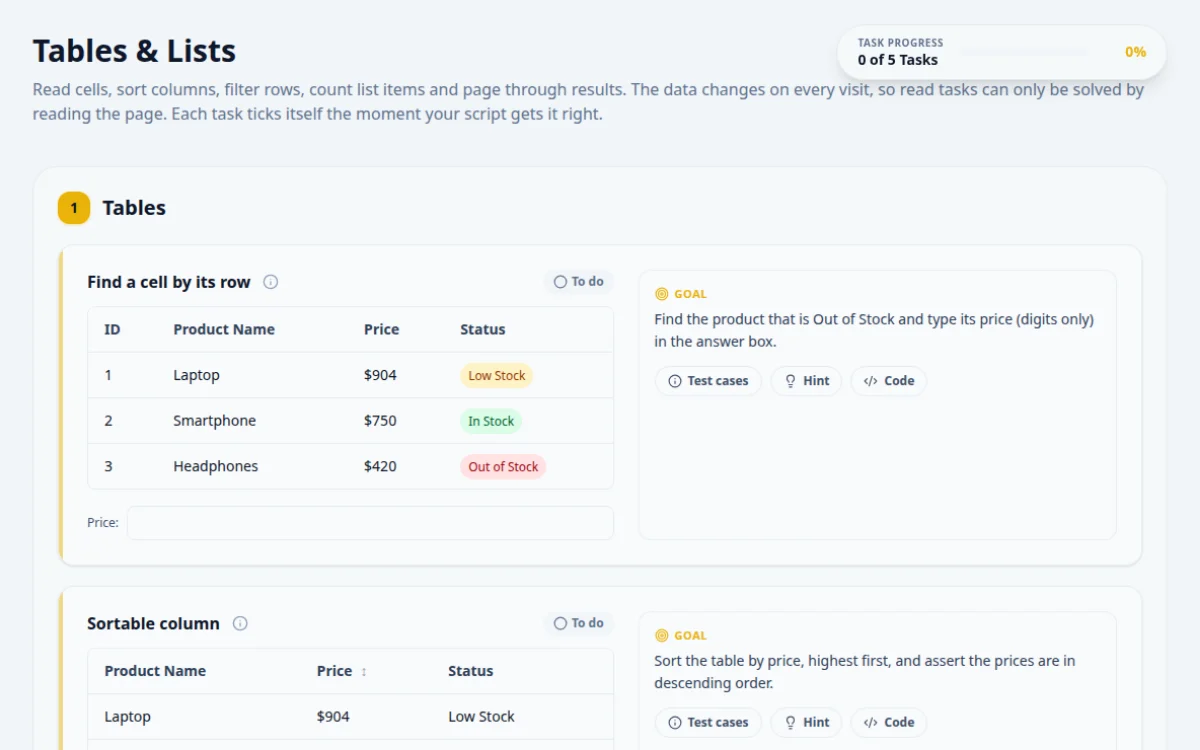
Find the product that is Out of Stock and type its price (digits only) in the answer box.
- The answer matches that row’s price
- The script finds the row by its status, not its position
- Reading row 3 because it was out of stock last time: statuses change every visit
- Typing the $ sign
Locate the row that contains the text Out of Stock, then read the Price cell in that same row.
const row = page.locator('#table-static tbody tr').filter({ hasText: 'Out of Stock' });
const price = (await row.locator('td').nth(2).textContent())!.replace(/\D/g, '');
await page.getByTestId('answer-table-static').fill(price);| Product Name | Price ↕ | Status |
|---|---|---|
| Laptop | $80 | Out of Stock |
| Smartphone | $1167 | Low Stock |
| Headphones | $753 | Low Stock |
| Monitor | $668 | In Stock |
| Keyboard | $58 | In Stock |
Sort the table by price, highest first, and assert the prices are in descending order.
- The header shows a down arrow
- Every price is lower than or equal to the one above it
- Checking only the first row
- Assuming one click sorts descending: the first click sorts ascending
Read all the price cells into a list, then compare it with a sorted copy of itself.
const header = page.locator('#table-sort-price');
await header.click();
await header.click();
await expect(header).toHaveAttribute('aria-sort', 'descending');
const prices = (await page.locator('#table-sortable tbody td:nth-child(2)').allTextContents()).map((t) => +t.slice(1));
expect(prices).toEqual([...prices].sort((a, b) => b - a));| Product Name | Price | Status |
|---|---|---|
| Laptop | $80 | Out of Stock |
| Smartphone | $1167 | Low Stock |
| Headphones | $753 | Low Stock |
| Monitor | $668 | In Stock |
| Keyboard | $58 | In Stock |
| Mouse | $1115 | Low Stock |
| Webcam | $977 | Low Stock |
| Speaker | $1175 | Low Stock |
| Tablet | $1342 | Low Stock |
| Charger | $700 | Out of Stock |
| Router | $210 | Out of Stock |
| Printer | $1468 | In Stock |
Filter the catalogue to “Low Stock” and type how many rows are left.
- Every visible row says Low Stock
- The answer matches the row count and the “Showing N of 12” text
- Counting before the filter applies
- Counting the header row too
Choose the status in the dropdown, then count the rows in tbody only.
await page.locator('#table-filter-status').selectOption('Low Stock');
const count = await page.locator('#table-filter tbody tr').count();
await page.getByTestId('answer-table-filter').fill(String(count));2.Lists
Checklist (unordered)
- Write the test plan
- Set up the framework
- Automate the smoke suite
- Add API checks
- Wire up CI
- Review flaky tests
Steps (ordered)
- Step one
- Step two
- Step three
Type the text of the last item in the checklist.
- The answer matches the last item exactly
- Assuming the list always has the same length: it changes every visit
Collect all the li elements and take the last one, rather than a fixed position.
const last = await page.locator('#list-unordered li').last().textContent();
await page.getByTestId('answer-list-unordered').fill(last!);3.Pagination
Jump to the last page, then use Previous to go back to page 9.
- The info text reads “Showing page 9 of 10”
- Next is disabled on page 10
- Clicking Next nine times when a direct link exists
- Clicking Previous on page 1: it is disabled
Assert the info text after each step instead of counting clicks.
await page.locator('#pagination-10').click();
await expect(page.locator('#pagination-next')).toBeDisabled();
await page.locator('#pagination-prev').click();
await expect(page.locator('#pagination-info')).toHaveText('Showing page 9 of 10');
About this Tables & Lists page
A web table is an HTML grid of rows and cells that automated tests read, sort, filter and click inside. To practice, locate rows by their text rather than by index, read cell values by column, and assert after sorting or filtering. This free page gives you a dynamic data grid with tasks you can solve in Playwright, Selenium or Cypress.
Frequently asked questions
How do I get a cell value from a web table in Selenium?
Find the row with a locator such as //tr[td[text()='Alice']], then read the cell with a relative path like ./td[3] and call getText(). Locating the row by content instead of index keeps the test stable when the data order changes.
How do I locate a table row by text in Playwright?
Use page.getByRole('row').filter({ hasText: 'Alice' }) to get the row, then row.getByRole('cell').nth(2) for a column. Playwright re-queries on each action, so the locator survives re-sorting and re-rendering.
How do I test table sorting in automation?
Click the column header, read every value in that column into an array, and compare it with a sorted copy of the same array. Check ascending and descending, and test numbers and dates separately because text sorting orders them differently.
How do I count rows in a dynamic table?
Query the row locator after the data has loaded, for example expect(rows).toHaveCount(10) in Playwright or findElements(By.cssSelector('tbody tr')).size() in Selenium. Wait for a known row or loading indicator first so you do not count a half-rendered table.
Is there a free page to practice web table automation?
Yes. This page is free, needs no signup and runs in the browser. It has a dynamic data grid, a task list with positive and negative cases, a pass or fail result box and hints for each task.
Free developer tools on Randomly.online
QA Playground is part of Randomly.online. These tools help while you write and debug tests: