
Deep DOM
Elements buried in nested iframes, a frame that rewrites itself, a closed shadow root and a shadow root inside an iframe. Each task ticks itself when your script gets there.
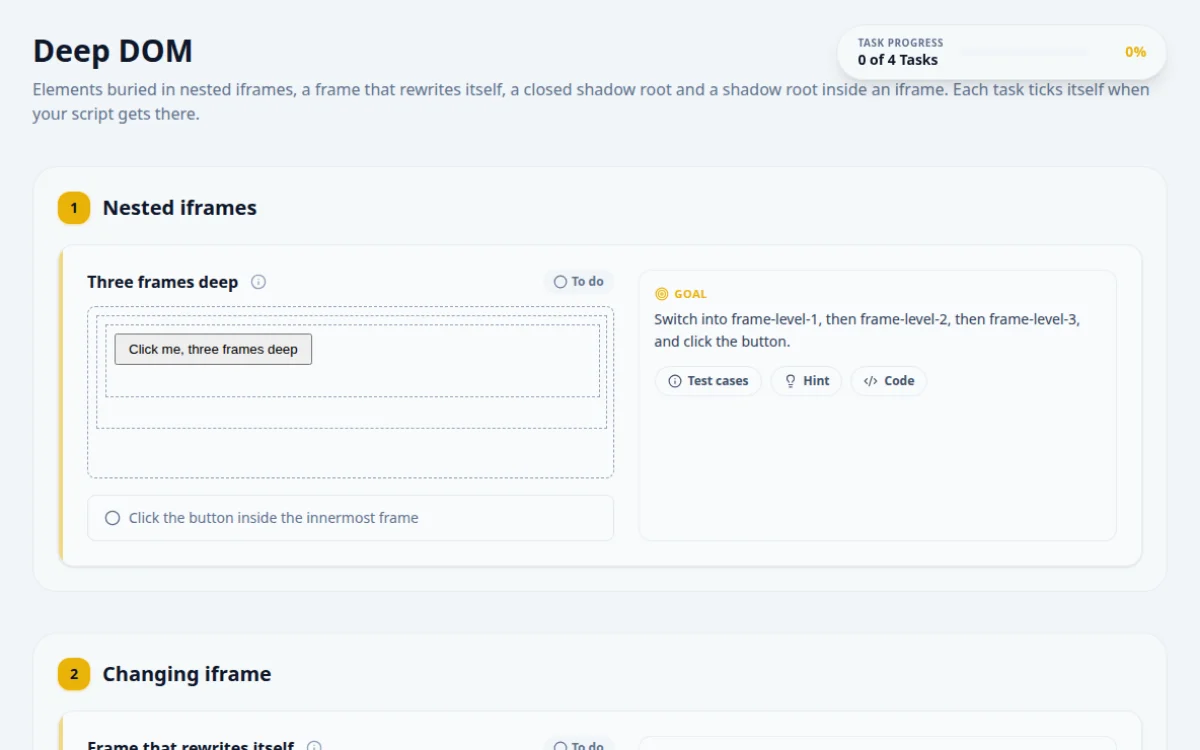
1.Nested iframes
Switch into frame-level-1, then frame-level-2, then frame-level-3, and click the button.
- Entering each frame in order and clicking shows success
- Looking for the button from the top-level page finds nothing
- Jumping straight to frame-level-3: frames are entered one level at a time
Chain the frame switches. In Selenium, go back with defaultContent() when you are done.
await page.frameLocator('#frame-level-1').frameLocator('#frame-level-2')
.frameLocator('#frame-level-3').locator('#deep-button').click();2.Changing iframe
The frame counts down from 5, then replaces its content. Wait for liftoff and type the launch code in the answer box.
- The answer matches the launch code shown after liftoff
- Reading #countdown once and expecting it to stay
- Holding a reference to an element that the frame has since replaced
Stay scoped to the frame and wait for #launch-code to appear. Restart the countdown if you missed it.
const frame = page.frameLocator('#countdown-frame');
const code = await frame.locator('#launch-code').textContent({ timeout: 10000 });
await page.getByTestId('answer-countdown').fill(code!);3.Closed shadow DOM
Submit “shadow” through the widget. Its input and button are in a closed shadow root that selectors cannot reach.
- Tab into the input, type shadow, Tab to Submit and press Enter
- element.shadowRoot is null for a closed root
- Any other value turns the result red
Focus “Start here”, then drive the widget with the keyboard, the way a keyboard user would.
await page.locator('#before-shadow').focus();
await page.keyboard.press('Tab');
await page.keyboard.type('shadow');
await page.keyboard.press('Tab');
await page.keyboard.press('Enter');4.Shadow DOM inside an iframe
Enter the iframe, then reach into the open shadow root under #shadow-host and click its button.
- The status inside the frame reads “Clicked inside shadow in frame”
- Searching for the button without entering the frame
- Searching the frame document without opening the shadow root
Two boundaries: switch into the frame first, then open the shadow root from its host.
const frame = page.frameLocator('#shadow-frame');
await frame.locator('#shadow-frame-button').click(); // CSS pierces open shadow roots
await expect(frame.locator('#shadow-frame-status')).toHaveText('Clicked inside shadow in frame');
5. Solutions
Try the challenges yourself first. Reference solutions are hidden until you ask for them.
About this Deep DOM page
A deep DOM is a page where iframes are nested inside iframes and shadow roots sit inside those frames, some of them closed. A closed shadow root returns null for element.shadowRoot, so page scripts cannot reach it. Automate it by switching or chaining through each frame in order, then using the driver's own shadow root access rather than JavaScript.
Frequently asked questions
How do I handle nested iframes in Selenium?
Switch one level at a time: switchTo().frame(outer), then switchTo().frame(inner). Use parentFrame() to go up one level or defaultContent() to return to the top. Switching straight to the inner frame fails because Selenium only sees children of the current context.
How do I handle nested iframes in Playwright?
Chain frameLocator calls: page.frameLocator('#outer').frameLocator('#inner').getByRole('button'). Each call narrows the context, and Playwright auto-waits at each level. You do not need to fetch frame objects or switch back afterward.
What is a closed shadow root?
A closed shadow root is created with attachShadow({ mode: 'closed' }). The host element's shadowRoot property returns null, so page JavaScript and querySelector chains cannot enter it. Open roots, with mode 'open', expose shadowRoot normally.
Can Selenium or Playwright access a closed shadow root?
Not by locating elements. Playwright's CSS and text locators pierce open shadow roots only, and Selenium's getShadowRoot() cannot open a closed one. The practical route is the keyboard: focus the element just before the host, press Tab into the closed root and type, which is what the Deep DOM page asks you to do.
How do I find a shadow DOM element inside an iframe?
Enter the frame first, then locate the shadow host and open its root. In Selenium: switchTo().frame(), findElement(host).getShadowRoot().findElement(css). In Playwright: frameLocator(...).locator('host-css inner-css'), since Playwright's CSS locators pierce open shadow roots.
Free developer tools on Randomly.online
QA Playground is part of Randomly.online. These tools help while you write and debug tests: