
Click Traps
Elements that are covered, moving, stacked under other layers or not yet enabled. Never force the click: the point is to wait for, or remove, whatever is in the way. Each task ticks itself when its result box turns green.
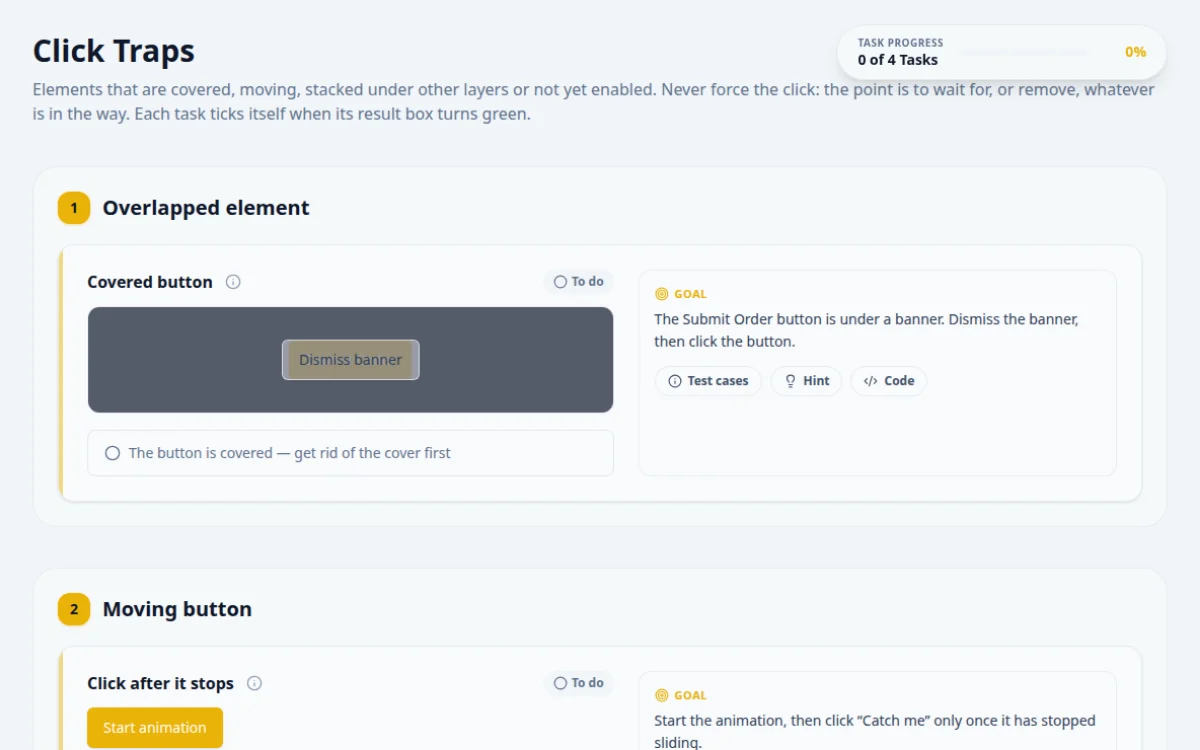
1.Overlapped element
The Submit Order button is under a banner. Dismiss the banner, then click the button.
- After dismissing, the click shows “Order submitted”
- Clicking while covered: Selenium throws ElementClickInterceptedException
- force: true or a JavaScript click: it skips the check a real user would hit
Dismiss the cover, wait for it to be gone, then click normally.
await page.locator('#overlap-dismiss').click();
await expect(page.locator('#overlap-cover')).toBeHidden();
await page.locator('#overlapped-button').click();
await expect(page.getByTestId('result-overlap')).toHaveAttribute('data-state', 'success');2.Moving button
Start the animation, then click “Catch me” only once it has stopped sliding.
- The button no longer has the animating class when clicked
- The result reads “Clicked after it stopped”
- Clicking mid-slide reports “Clicked while moving”
- A fixed sleep tuned to this machine
While it moves, the button has the class animating. Wait for that class to go, then click.
await page.locator('#start-animation').click();
await expect(page.locator('#moving-button')).not.toHaveClass(/animating/, { timeout: 5000 });
await page.locator('#moving-button').click();3.Hidden layers
Click the green button once. Then prove that a blue copy now sits on top of it.
- The first click reports “Green clicked once”
- Your script asserts the blue button is visible and intercepts a second click
- Clicking the blue layer turns the result red
- Assuming the green button is still clickable because it is still in the DOM
Both buttons have the same text, so find them by id. Assert which element is on top before clicking again.
await page.locator('#green-button').click();
await expect(page.getByTestId('result-layers')).toHaveAttribute('data-state', 'success');
await expect(page.locator('#blue-button')).toBeVisible();
// a trial click checks actionability without clicking: it fails because blue is on top
await expect(page.locator('#green-button').click({ trial: true, timeout: 1000 })).rejects.toThrow();4.Disabled → enabled
Click “Enable input”, wait for the field to become enabled (2 to 4 seconds), type QA and submit.
- The script waits for the enabled state, then submits QA and sees success
- Typing into the disabled field: nothing is entered
- Submitting anything other than QA
Wait for the input to be enabled, not for a set time. The delay is random.
await page.locator('#enable-input').click();
await page.locator('#delayed-input').fill('QA'); // fill() waits for enabled
await page.locator('#submit-delayed').click();
5. Solutions
Try the challenges yourself first. Reference solutions are hidden until you ask for them.
About this Click Traps page
A click trap is an element that is visible but cannot receive a click, because another element covers it, it is still moving, or it is not enabled yet. Selenium reports this as ElementClickInterceptedException and Playwright retries until it times out. You practice by reproducing each trap, then fixing it with actionability waits, scrolling, or closing the overlay instead of forcing the click.
Frequently asked questions
What does ElementClickInterceptedException mean in Selenium?
It means the browser found the element, but another element would receive the click at that point, such as a modal, sticky header or cookie banner. Selenium 4 names the intercepting element in the message. Wait for the overlay to go away, scroll the target into view, or close the overlay.
How does Playwright handle a covered element?
Playwright runs actionability checks before click: visible, stable, enabled, and receives events. If another element intercepts pointer events, it retries until the timeout, then fails with a log naming the blocker. Dismiss the overlay or wait for it to detach rather than using force: true.
Should I use a JavaScript click to get around a click trap?
Usually not. A JavaScript click skips the checks a real user hits, so it can pass while the button is unusable. Use it only when the element is genuinely clickable but the driver misreports it, and say why in a comment.
How do I click an element that is moving?
Wait until the element is stable. Playwright does this automatically by checking that the bounding box is unchanged across two animation frames. In Selenium and Cypress, wait for the animation to finish or for a class or position change, then click.
How do I test a button that is disabled or delayed?
Assert or wait for the enabled state before clicking. Use expect(button).toBeEnabled() in Playwright, an ExpectedConditions.elementToBeClickable wait in Selenium, or should('not.be.disabled') in Cypress. Avoid fixed sleeps, which are slow and still flaky.
Free developer tools on Randomly.online
QA Playground is part of Randomly.online. These tools help while you write and debug tests: