
Mouse & Keyboard Interactions
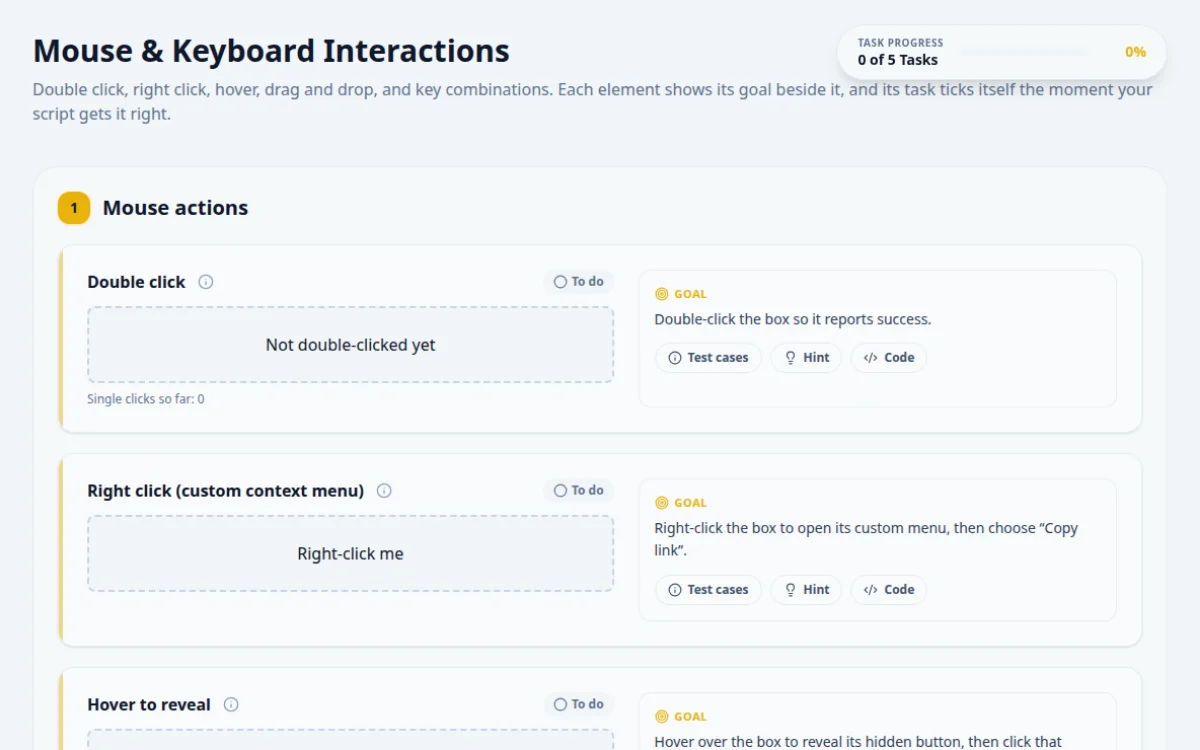
Double click, right click, hover, drag and drop, and key combinations. Each element shows its goal beside it, and its task ticks itself the moment your script gets it right.
1.Mouse actions
Single clicks so far: 0
Double-click the box so it reports success.
- The box reads “Double Click Successful!”
- Single clicks alone never change it
- Two separate click() calls: they may be too slow to count as a double click
- Asserting before the event lands
Use the tool's own double-click action. It sends both clicks with the right timing.
await page.locator('#box-double-click').dblclick();
await expect(page.locator('#box-double-click')).toHaveText('Double Click Successful!');Right-click the box to open its custom menu, then choose “Copy link”.
- The custom menu appears where you clicked
- Choosing “Copy link” reports success
- Expecting the browser menu: this page replaces it
- Clicking the menu item before the menu opens
A right click is a context click. Once the custom menu is in the DOM, it is an ordinary element you can click.
await page.locator('#box-right-click').click({ button: 'right' });
await page.getByRole('menuitem', { name: 'Copy link' }).click();
Hover over me
Hover action done
Hover over the box to reveal its hidden button, then click that button.
- The button appears only while hovering
- Clicking it shows “Hover action done”
- Clicking the button before hovering: it stays hidden until then
- Moving the mouse away first: the button disappears
Hover first, wait for the button to be visible, then click it. The pointer stays over the box while you click.
await page.locator('#box-hover').hover();
await page.locator('#hover-reveal-btn').click();
Drag “Drag Me” into the drop zone.
- The zone reads “Dropped!” and turns green
- Selenium’s dragAndDrop() on HTML5 draggable elements: it moves the mouse but fires no drag events
- Dropping outside the zone
This uses the HTML5 drag API. Playwright handles it natively. Selenium and Cypress need the drag events fired from JavaScript.
await page.locator('#draggable-item').dragTo(page.locator('#droppable-zone'));
await expect(page.locator('#droppable-zone')).toHaveText('Dropped!');2.Keyboard actions
Focus the input and press Ctrl+Shift+K.
- The logger shows “Key Pressed: K” with Ctrl and Shift held
- Typing the letters “ctrl+shift+k” as text
- Releasing Ctrl before pressing K
Hold the modifiers down while the key is pressed. Every tool has a way to send a chord or to key-down, press, key-up.
await page.locator('#keyboard-input').press('Control+Shift+K');
await expect(page.locator('#key-output')).toContainText('Ctrl+Shift');
About this Mouse & Keyboard page
Mouse and keyboard interaction testing means driving drag, hover, context-click and key-press events from a script instead of a person. In Selenium 4 you use the Actions class, for example dragAndDrop, moveToElement and contextClick. In Playwright you call dragTo, hover, click with button right, and keyboard.press. This page gives you each interaction as a task with a result box.
Frequently asked questions
How do you do drag and drop in Selenium 4?
Create an Actions object and call dragAndDrop(source, target).perform(), or chain clickAndHold, moveToElement and release for finer control. If the page uses HTML5 native drag events, the simple call can fail, and you may need clickAndHold with small moves or a JavaScript fallback.
How do you hover over an element in Playwright?
Call await page.locator('selector').hover(). Playwright waits for the element to be visible and stable, scrolls it into view, then moves the mouse over it. Assert on the revealed menu or tooltip with expect(locator).toBeVisible() afterwards.
How do you right-click in Selenium and Playwright?
In Selenium use new Actions(driver).contextClick(element).perform(). In Playwright use locator.click({ button: 'right' }). Both open the page's custom context menu, which you then locate in the DOM like any other element. Native browser menus cannot be automated.
How do you press keyboard shortcuts in automated tests?
In Playwright use page.keyboard.press('Control+S'). In Selenium use Actions.keyDown(Keys.CONTROL).sendKeys('s').keyUp(Keys.CONTROL). In Cypress use cy.get('body').type('{ctrl}s'). Focus the right element first or the page may ignore the keys.
Why does my drag and drop test pass but nothing moves?
The page probably listens for different events than the ones your tool fires. HTML5 drag uses dragstart and drop, while many widgets use mouse or pointer events. Check which one the page uses, then pick dragTo, manual mouse moves, or dispatched DragEvents to match.
Free developer tools on Randomly.online
QA Playground is part of Randomly.online. These tools help while you write and debug tests: