
Auth Flows
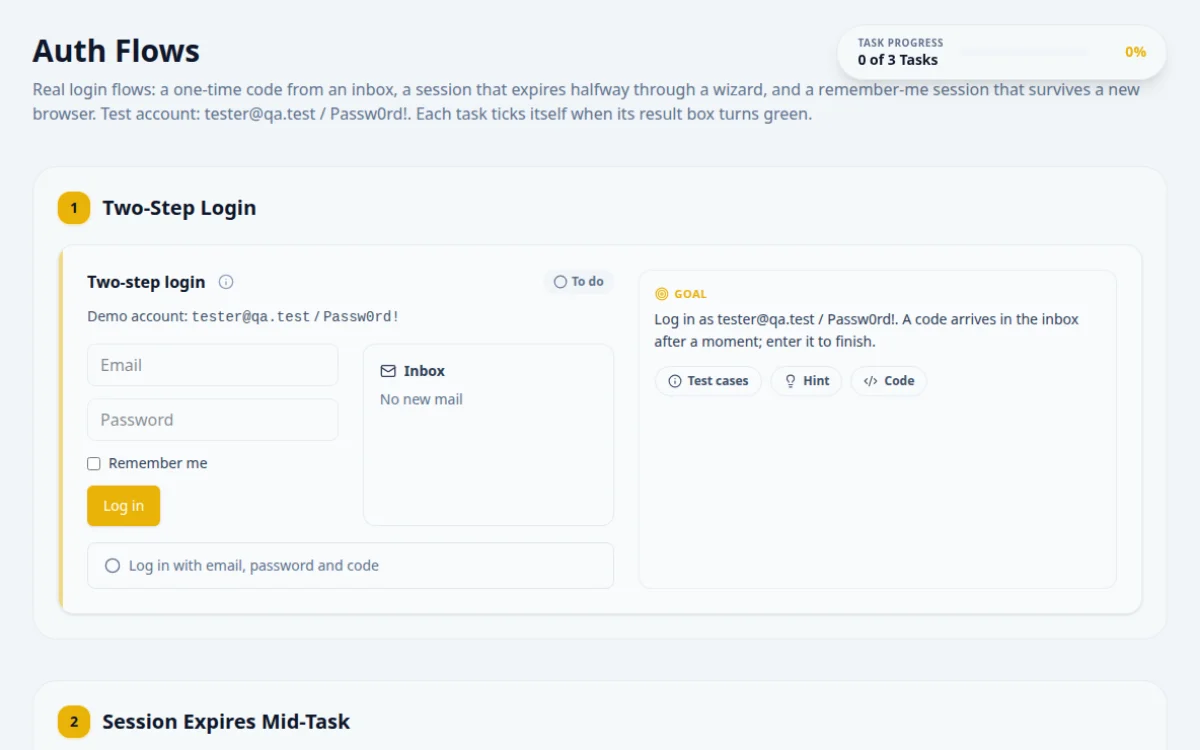
Real login flows: a one-time code from an inbox, a session that expires halfway through a wizard, and a remember-me session that survives a new browser. Test account: tester@qa.test / Passw0rd!. Each task ticks itself when its result box turns green.
1.Two-Step Login
Demo account: tester@qa.test / Passw0rd!
Inbox
No new mail
Log in as tester@qa.test / Passw0rd!. A code arrives in the inbox after a moment; enter it to finish.
- The right code within 60 seconds logs you in and the result turns green.
- A wrong password shows an error.
- A wrong or expired code shows an error.
Wait until #inbox-code holds six digits, read it, then type it. It changes on every login.
await page.locator('#auth-email').fill('tester@qa.test');
await page.locator('#auth-password').fill('Passw0rd!');
await page.locator('#auth-login').click();
const code = page.locator('#inbox-code');
await expect(code).toHaveText(/^\d{6}$/, { timeout: 5000 }); // the code arrives late
await page.locator('#auth-otp').fill(await code.innerText());
await page.locator('#auth-verify').click();
await expect(page.locator('#auth-dashboard')).toBeVisible();2.Session Expires Mid-Task
Log in first (section 1) to start the wizard.
Start the wizard and finish all three steps. Your session lasts 8 seconds and step 2 takes longer than that, so you will be asked for your password again.
- After entering the password, the wizard continues on the same step.
- Finishing after logging in again turns the result green.
- A wrong password keeps the dialog open.
Step 2 keeps Next disabled for about 9 seconds. After each click, check whether the 'Session expired' dialog opened and enter the password if it did.
// after logging in
await page.locator('#start-wizard').click();
await page.locator('#wizard-next').click();
await expect(page.locator('#wizard-next')).toBeEnabled({ timeout: 12000 });
await page.locator('#wizard-next').click();
await expect(page.locator('#session-expired-modal')).toBeVisible();
await page.locator('#reauth-password').fill('Passw0rd!');
await page.locator('#reauth-submit').click();
await expect(page.locator('#wizard-step')).toHaveText('Step 2 of 3'); // progress kept
await page.locator('#wizard-next').click();
await page.locator('#wizard-finish').click();3.Remember Me
Log in with 'Remember me' ticked. Then open this page in a fresh browser context that starts with the saved storage. You should be logged in without the form.
- A fresh context with the saved storage shows 'Restored your session from storage.'
- Without 'Remember me', a reload shows the login form again.
- A corrupt stored session is ignored.
Log in once with Remember me ticked, save the cookies and localStorage, and load the page in a new browser context that starts with them.
// log in with #remember-me checked, then save and reuse the browser state
const state = await page.context().storageState();
const ctx = await browser.newContext({ storageState: state });
const fresh = await ctx.newPage();
await fresh.goto('/practice/auth-flows');
await expect(fresh.locator('#session-restored')).toBeVisible();
4. Solutions
Try the challenges yourself first. Reference solutions are hidden until you ask for them.
About this Auth Flows page
Login flow automation is the practice of scripting authentication in browser tests, including multi-step sign-in, session expiry and remembered logins. Tests must handle a second verification step, detect when a session ends partway through a task, and reuse saved cookies or storage instead of logging in each time. This free page lets you practice all three with pass/fail results.
Frequently asked questions
How do you test a session timeout in automation?
Start a task after login, wait for or force the session to expire, then perform the next action and assert the app redirects to login or shows an expired message. Prefer shortening the timeout or clearing the session cookie over using long sleeps.
How does Playwright storageState work for login?
Call context.storageState({ path: 'state.json' }) after logging in, then set use: { storageState: 'state.json' } in the config. New contexts start with those cookies and localStorage applied. It does not capture sessionStorage, and saved state can expire, so refresh it.
How do you automate a two-step login in Selenium?
Fill the first step, click continue, then use an explicit WebDriverWait until the second step's field is visible before typing. Do not assume the second form is in the DOM yet. Assert both the success state and error messages for wrong inputs.
How do you test a remember me checkbox?
Log in with the box checked, close the browser context or reload, open the app again and assert you are still signed in. Repeat unchecked and assert you land on the login page. Check that the persistent cookie has an expiry date.
Is there a free site to practice login automation?
Yes. This page is free, needs no signup and runs in your browser. It has tasks with positive and negative cases, hints, and reference solutions in Playwright, Selenium Java, Selenium Python and Cypress.
Free developer tools on Randomly.online
QA Playground is part of Randomly.online. These tools help while you write and debug tests: